


AIReel : AI Video Generator
4.3790.00 Reviews
App Specs
- Version
- 3.3.2
- Updated On
- License
- Free
- Downloads
- 1,000,000+
- Developer
- FunCreate Limited
- Categories
- Art & Design
- Platform
- Android, iOS
Screenshots
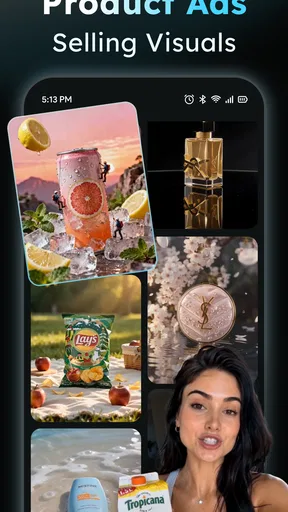
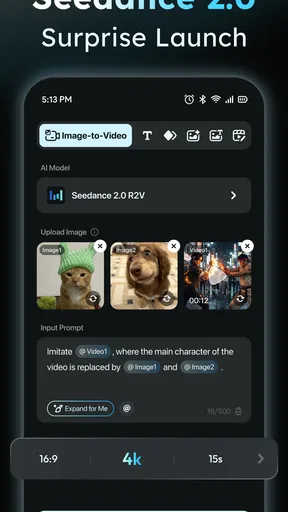
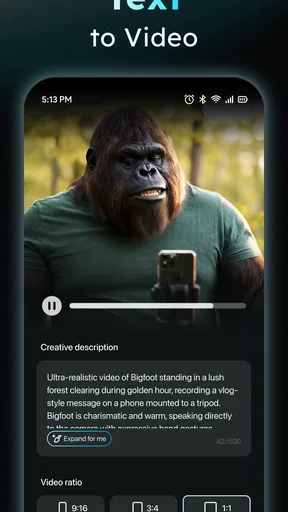
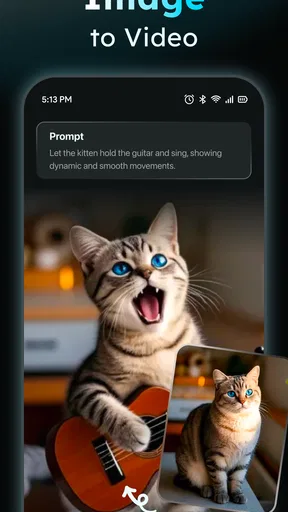
 Analysis by AppCompare
I judge a video maker by whether it helps me finish something useful, not by how many effects it can promise. AIReel: AI Video Generator is aimed at turning images or text into video, which makes it appealing when I have an idea but not the time, footage, or editing confidence to build a clip from scratch. It sits in the art and design space rather than trying to be a full desktop editing suite, and that difference matters: I’d approach it as a quick creative tool for social posts, small announcements, and personal projects.
What free access does—and does not—tell you
The app is free to install, and FunCreate Limited is the developer. There are in-app purchases priced from $6.99 to $109.99 per item, so “free” describes the starting point, not necessarily every possible way to use it. I’d try the no-cost experience first and decide whether the result fits my needs before paying. The range between the lowest and highest listed purchase is wide, so I would check the specific item and its terms in the app rather than assume that one purchase unlocks everything.
There’s no need to treat a paid option as essential just because the app offers one. If you only want to make an occasional birthday greeting or test a visual idea, free access may be enough for your purpose. If you expect to create regularly, compare what you actually need with the item you’re considering. I wouldn’t pay on the assumption that a particular export, template, or feature is included unless the purchase screen clearly says so.
Where the value is in everyday use
The strongest value here is convenience: bringing a rough concept closer to a shareable video without starting from a blank editing timeline. A shop owner could turn a few product images and a short announcement into a simple seasonal post; a student might make a visual opener for a presentation; and someone collecting family photos could create a compact celebration clip. Those are modest jobs, but they’re exactly the sort of projects where a fast, guided workflow can be more useful than a powerful editor that takes longer to learn.
For example, if I had a handful of pictures from a friend’s birthday and wanted to send a short recap that evening, I’d use an app like this to get a first draft moving, then check the order, wording, and mood before sharing. I’d keep the text brief and choose images that clearly belong together. That small bit of preparation matters: automated creation can make a sequence, but it can’t know which moment is meaningful to my friend or whether a caption sounds like me.
How the creative workflow fits your project
The app has an average rating of 4.5 from around 14,000 ratings, and it has passed one million installs. Those figures suggest that many people have tried it, but popularity doesn’t guarantee a fit for every project. It is rated for teens, and version 2.6.2 requires Android 7.0 or later. If you’re choosing it for a younger user or an older Android device, those details are worth considering before getting started.
Starting with a template, then making it yours
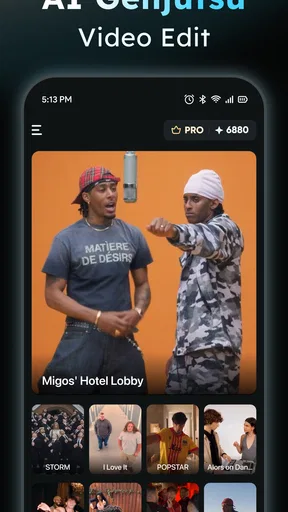
First off, downloading and setting up AIReel is a breeze. It’s available on both Android and iOS, so no worries about compatibility. Once you open the app, you’re greeted with a clean and intuitive interface. It’s like the app is saying, "Don’t worry, I’ve got you."
Worth Reading Before You Choose

Flipboard Shows What News Apps Must Do Beyond the Feed

Switching to Android Auto Means Rethinking Your Driving Routine

Google Calendar Makes a Crowded Week Easier to Manage

Ludo King Makes the Most of the Minutes Between Plans

Baby Panda World Brings Quick Play to Modern Phones, but Its Game Library Feels Busy

ESPN’s Live Game View Makes Following Close Games Easier
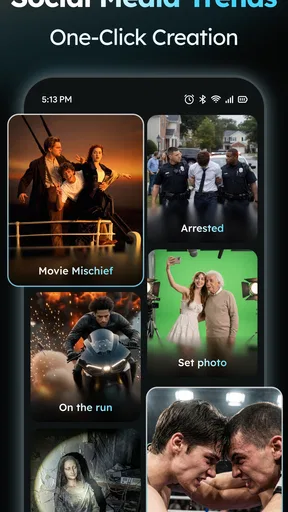
You start by selecting a template. And let me tell you, the selection is impressive. Whether you’re looking to create a quick birthday montage or a slick promotional video, there’s something for everyone. The templates are categorized, making it super easy to find what you need. Just tap, and you’re ready to roll.
My practical tip is to choose a template for its pacing and layout, not only for its thumbnail or visual style. A template that gives each image enough room may work better for a family recap, while a more energetic arrangement can suit a quick promotional message. Before adding lots of material, test the template with a few representative images. That lets you spot mismatched framing or a tone that feels wrong while the edit is still easy to change.
Features That Stand Out
One of the standout features of AIReel is its AI-driven editing capabilities. You simply upload your clips, and the app does the magic. It analyzes the footage, picks out the highlights, and stitches everything together seamlessly. It’s like having a personal editor who never gets tired.
Another cool feature is the text-to-speech functionality. You can add voiceovers to your videos without having to record them yourself. Just type in the text, choose a voice, and voila – you’ve got a professional narration ready to go. It’s particularly handy if you’re camera-shy or just pressed for time.
I’d still review any automatically assembled sequence from beginning to end before exporting. A tool can make quick editing decisions, but a human check catches the details that matter: a shot that lingers too long, an image that appears out of context, or narration that doesn’t match the visuals. For voiceover, I’d write the script as spoken language and read it aloud before entering it. Short sentences are easier to follow, and the wording is less likely to sound stiff when read by a generated voice.
Customizing Your Creation
Now, while the templates are great, you might want to add your personal touch. AIReel doesn’t disappoint here either. You can tweak the colors, fonts, and even the music. The music library is vast, with tracks that suit different moods and themes. And if you’ve got your own tunes, you can easily upload them too.
There’s also a nifty feature that lets you add animations and transitions. These aren’t your run-of-the-mill effects. We’re talking smooth, professional-grade transitions that make your video pop. It’s the little details that count, right?
My advice is to pick one visual direction and keep it consistent. If the photos are already colorful, restrained text and transitions can help them stay the focus; if the images are simple, a stronger font or music choice may do more work. I’d also listen to the finished clip on the device I plan to share it from. A track that feels balanced while editing can distract from a voiceover or make a quiet moment feel rushed once everything plays together.
Choosing the right tool for the job
Compared with a conventional mobile video editor, AIReel’s appeal is the guided route from an idea toward a finished piece. A timeline-based editor is usually the better choice when I need exact timing, detailed cuts, careful audio mixing, or precise control over every shot. A simple slideshow maker can be preferable when all I want is a quiet sequence of photos with minimal styling. AIReel makes more sense when I want a template-led result and am willing to review the automated choices rather than control every edit myself.
That trade-off is important for business use. It can help me prepare a quick draft for a small announcement, but I’d be cautious about treating a template-based video as a complete brand workflow. I would check spelling, product details, visual consistency, and music suitability before publishing. For a campaign that needs exact brand rules or multiple rounds of approval, a more controlled editor—and a human review process—would be the safer choice.
Sharing without skipping the final check
Once you’re happy with your video, exporting and sharing it is a piece of cake. AIReel offers various resolution options, so you can choose the best quality for your needs. Whether it’s for social media, a presentation, or just to share with friends, the app has got you covered.
Speaking of social media, the app integrates well with platforms like Instagram, TikTok, and YouTube. With just a few taps, your masterpiece is out there for the world to see. And trust me, it’s going to look good.
Before posting, I’d watch the exported file rather than relying only on the preview. This is a useful last pass for checking that the opening communicates the point, captions are readable on a phone, and the ending doesn’t feel abrupt. If the same video is headed to different platforms, I’d check its framing and text placement for each destination instead of assuming one version will look equally natural everywhere.
Who should try it, and who may prefer another app
I’d recommend giving it a try if you’re a casual creator who wants help getting from photos or an idea to a presentable video, especially for personal occasions or lightweight social content. It may also suit a small business owner who needs a simple draft and is comfortable checking every detail. The app’s teen content rating and Android 7.0 minimum are practical considerations for families and device owners, while iOS users can also use it.
I’d skip it if your priority is frame-by-frame editing, a highly specific visual identity, or dependable control over every production decision. It’s also not an automatic shortcut around creative judgment: you still need to choose suitable images, write clear text, and decide whether the final sequence tells the story you intended. If you only need to trim a single clip, a basic editor may be quicker; if the video is important or complex, a more hands-on editing app is likely a better fit.
Final Thoughts
So, is AIReel: AI Video Generator worth it? In my opinion, absolutely. It’s user-friendly, packed with features, and the results are impressive. Whether you’re a seasoned content creator or just someone who loves capturing life’s moments, this app is a game-changer.
If you’ve been on the fence about diving into video creation, give AIReel a shot. It takes the complexity out of editing and lets you focus on the fun. So go ahead, unleash your creativity, and see what you can create. Happy filming!
My verdict is a qualified yes: I’d start with the free access, make one small project, and judge the result against the time it saved me. If the workflow suits the way I create and I can identify a specific paid item that solves a real need, I’d consider it; otherwise, there’s no reason to spend just to explore. With purchases ranging from $6.99 to $109.99 per item, checking the exact offer matters more than assuming the app has one universal upgrade. For quick, template-led videos, it’s worth trying. For exacting edits or polished work that must follow strict requirements, I’d choose a tool built for more direct control.
Pros
- User-friendly interface for quick learning.
- High-quality video output every time.
- Wide range of customizable templates.
- Supports multiple video formats.
- Fast rendering even on older devices.
Cons
- Limited free version features.
- Occasional glitches with voiceovers.
- Requires internet for full functionality.
- Subscription can be pricey for casual users.
- Some templates lack variety.
FAQs for AIReel : AI Video Generator
What is AIReel: AI Video Generator?
AIReel: AI Video Generator is an innovative app designed to help users create professional-quality videos using AI technology. It offers a variety of templates and tools that allow for easy video creation and editing, making it accessible for both beginners and experienced video creators.
How does AIReel enhance video creation?
AIReel utilizes advanced AI algorithms to streamline the video creation process. It provides automated editing suggestions, smart effects, and transitions that enhance the overall quality of your videos. Additionally, it includes features like voiceover integration and music synchronization to enrich your storytelling.
Is AIReel suitable for beginners?
Absolutely! AIReel is designed with user-friendliness in mind. Its intuitive interface and step-by-step guidance make it easy for beginners to start creating videos without any prior experience. The app includes tutorials and helpful tips to assist users throughout the video creation process.
What platforms is AIReel available on?
AIReel is available for both Android and iOS devices, ensuring a wide range of compatibility. Users can download it from the Google Play Store or the Apple App Store, allowing them to create and edit videos seamlessly on their preferred device.
Are there any subscription costs for using AIReel?
AIReel offers both free and premium subscription plans. The free version provides access to basic features, while the premium subscription unlocks additional templates, effects, and advanced editing tools. Users can choose a plan based on their needs and budget, with options for monthly or annual subscriptions.


